GTA 6 Controls
Every button on PS5 and Xbox, on foot, in a fight, behind the wheel, in the air and under water, with the Classic layout one tap away.
- 98
- Controls
- 92
- From two or more outlets
- 3
- Layouts in the game
- 14
- Settings explained
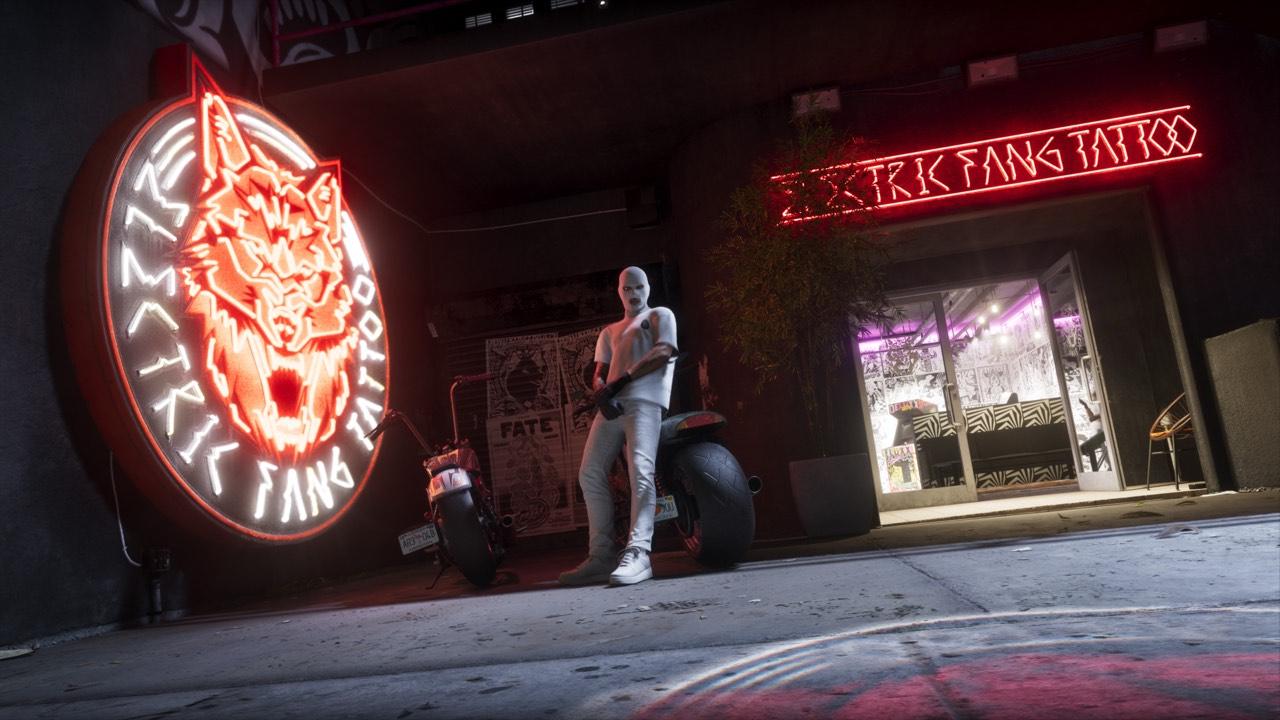
Last cross-checked November 24, 2026Image © Rockstar Games
Rockstar's own layout preview is in the game under Settings > Control Scheme. This list puts 98 controls on one page and names the outlets behind each. Where only one prints a button, the row says so.
Default layout, as the game ships.
On foot
| Action | PS5 | Xbox |
|---|---|---|
| MoveOutput Lag, TechWiser, Beebom | Left stick | Left stick |
| Look aroundOutput Lag, TechWiser, Beebom | Right stick | Right stick |
| Run, then sprintOutput Lag, games.gg, ShowGamer, Pro-Gamer, TechWiser, Beebom, Game8 Japan | L3, and again to sprint | LS, and again to sprint |
| Jump or climbOutput Lag, games.gg, ShowGamer, Pro-Gamer, Beebom, TechWiser | Cross | A |
| CrouchOutput Lag, games.gg, ShowGamer, Pro-Gamer, Beebom, TechWiser | Circle | B |
| Rest (sit or lean)Output Lag, GTA BOOM, Pro-Gamer, TechWiser | Hold Circle | Hold B |
| Interact, or get in a vehicleOutput Lag, games.gg, TechWiser, Beebom | Triangle | Y |
| Interact with a personOutput Lag, TechWiser, Beebom | Hold L2 | Hold LT |
| Look behindTechWiser, Beebom, Output Lag | Hold R3 | Hold RS |
| FocusSlows time in a fight and highlights loot, enemies and police.Output Lag, Beebom, Game8 Japan, GTA BOOM, Push Square, PowerPyx, VGC | L3 + R3 | LS + RS |
| First-person lookStanding still and unarmed. VGC describes it as L2, then both sticks.Push Square, PowerPyx, Output Lag, GTA BOOM | Hold L2, then R3 | Hold LT, then RS |
Partner
| Action | PS5 | Xbox |
|---|---|---|
| Partner menuOutput Lag, Pro-Gamer, Beebom, TechWiser, Push Square, PowerPyx | Hold D-pad Right | Hold D-pad Right |
| Switch between Jason and LuciaOnce the story allows it. Beebom gives hold D-pad Down with the right stick instead.Push Square, PowerPyx, Output Lag, games.gg | Hold D-pad Right, then R1 | Hold D-pad Right, then RB |
| Meet up, or split upPush Square, PowerPyx | Hold D-pad Right, then Triangle | Hold D-pad Right, then Y |
| Hand over a bag or long gunXbox button: one source, GTA BOOM | Hold D-pad Right, then Circle | Hold D-pad Right, then B |
Phone, map and radio
| Action | PS5 | Xbox |
|---|---|---|
| PhoneOutput Lag, games.gg, Pro-Gamer, Beebom, TechWiser, Game8 Japan | D-pad Up | D-pad Up |
| WAiNK cameraOutput Lag, Pro-Gamer, Beebom, TechWiser, GTA BOOM | Hold D-pad Up | Hold D-pad Up |
| MapOutput Lag, Beebom, TechWiser, ShowGamer, Game8 Japan | Touchpad | View |
| Show objective and minimapOutput Lag, games.gg, Beebom, TechWiser, Game8 Japan, ShowGamer | D-pad Down | D-pad Down |
| Quick navigationOutput Lag, Beebom, TechWiser, Game8 Japan, games.gg | Hold D-pad Down | Hold D-pad Down |
| Radio controls (on foot)games.gg, TechWiser, Beebom | D-pad Left | D-pad Left |
| Radio menu (on foot)TechWiser, Beebom, GTA BOOM | Hold D-pad Left | Hold D-pad Left |
| Pausegames.gg, TechWiser, Beebom, ShowGamer | Options | Menu |
Guns and cover
| Action | PS5 | Xbox |
|---|---|---|
| AimOutput Lag, games.gg, Beebom, TechWiser, Game8 Japan | Hold L2 | Hold LT |
| ShootOutput Lag, games.gg, Beebom, TechWiser, Game8 Japan | R2 | RT |
| Take coverOutput Lag, games.gg, Pro-Gamer, Beebom, TechWiser, Game8 Japan | R1 | RB |
| Holster or drawGetting into a vehicle holsters your gun by itself.Output Lag, games.gg, Pro-Gamer, TechWiser, Game8 Japan | Tap L1 | Tap LB |
| Loadout wheelOutput Lag, Pro-Gamer, TechWiser, Beebom, Game8 Japan, Space4Games, ShowGamer | Hold L1 | Hold LB |
| Items on the wheelSpace4Games, PowerPyx, Beebom | Hold L1, then R1 | Hold LB, then RB |
| Heal with ZombixOutput Lag, PowerPyx | Hold L1, then Square | Hold LB, then X |
| Use adrenalineOutput Lag, PowerPyx | Hold L1, then Triangle | Hold LB, then Y |
| Swap weapon while aimingBeebom, TechWiser | Triangle | Y |
| Switch shoulder while aimingBeebom, TechWiser, GTA BOOM | D-pad Left | D-pad Left |
| Zoom the scope while aimingBeebom, TechWiser | D-pad Up or D-pad Down | D-pad Up or D-pad Down |
| Aim through an opticOnly with a scope or sight fitted.Push Square, PowerPyx, Game8 Japan, GTA BOOM | Hold L2, then R3 | Hold LT, then RS |
| Show the throw path while aimingOutput Lag, Beebom, TechWiser | R3 | RS |
| Quick throw while aimingPro-Gamer, Beebom | Hold R1 | Hold RB |
| Detonate explosivesOutput Lag, Beebom, TechWiser | D-pad Right | D-pad Right |
| Drop a weapon with the wheel openOne source: games.gg | Circle | B |
| Surrender to policeOne source: games.gg | Hold R1 | Hold RB |
Fists
| Action | PS5 | Xbox |
|---|---|---|
| Punch or kickOutput Lag, games.gg, TechWiser, Game8 Japan, ShowGamer, Beebom | Square | X |
| Lock on and strafeBeebom, TechWiser | Hold L2 | Hold LT |
| Blockgames.gg, Output Lag, TechWiser, Pro-Gamer, Beebom | Hold Cross | Hold A |
| Dodge, just before a hit landsgames.gg, Output Lag, TechWiser, Pro-Gamer, Beebom | Tap Cross | Tap A |
| GrapplePro-Gamer, Beebom, TechWiser | R2 | RT |
Cars and motorbikes
| Action | PS5 | Xbox |
|---|---|---|
| AccelerateOutput Lag, games.gg, Beebom, TechWiser, Game8 Japan | R2 | RT |
| Brake or reverseOutput Lag, games.gg, Beebom, TechWiser, Game8 Japan | L2 | LT |
| SteerOutput Lag, Beebom, TechWiser, Game8 Japan | Left stick | Left stick |
| HandbrakeGTA 5 had this on R1 (RB), which now fires from the car.games.gg, Beebom, TechWiser, Game8 Japan | Cross | A |
| Shoot from the vehicleBeebom, TechWiser, Game8 Japan | R1 | RB |
| Horn, or nitrous if fittedBeebom, TechWiser, Pro-Gamer, GTA BOOM | L3 | LS |
| HeadlightsOutput Lag, GTA BOOM, TechWiser, Game8 Japan | Tap Circle | Tap B |
| Duck down in your seatHides you from passing police.Output Lag, GTA BOOM, PowerPyx | Hold Circle | Hold B |
| Swing a door, or kick from a bikeGTA BOOM, Output Lag, TechWiser, Game8 Japan | Square | X |
| Turn signalsOutput Lag, Pro-Gamer, TechWiser, Game8 Japan, GTA BOOM, Beebom | D-pad Left or D-pad Right | D-pad Left or D-pad Right |
| Radio and vehicle menuOutput Lag, GTA BOOM, Game8 Japan, Beebom | Hold D-pad Left | Hold D-pad Left |
| Windows, engine, hazards and lightsOutput Lag, GTA BOOM | Hold D-pad Left, then Right stick up | Hold D-pad Left, then Right stick up |
| Get outOutput Lag, games.gg, Beebom, TechWiser, Game8 Japan | Triangle | Y |
| Get out, engine left runningBeebom describes the double tap as jumping out.Output Lag, GTA BOOM | Double-tap Triangle | Double-tap Y |
| Look behindOutput Lag also has it as shouting at other drivers.Beebom, TechWiser, Game8 Japan | Hold R3 | Hold RS |
| Change camera distanceNo outlet prints the Xbox button | Hold D-pad Down, then Square | Not confirmed |
| Cinematic cameraNo outlet prints the Xbox button | Hold D-pad Down, then Options | Not confirmed |
| Auto-drive to your waypointSet a waypoint first. Push Square says to hold the button.Xbox button: one source, Output Lag | Circle in the cinematic camera | B in the cinematic camera |
| Police siren and lightsOne source: Output Lag | L3 | LS |
| Flip a car back overOne source: GTA BOOM | L3, then hold Square | LS, then hold X |
| Wheelie (motorbike)One source: Game8 Japan | Left stick down | Left stick down |
Boats
| Action | PS5 | Xbox |
|---|---|---|
| Steer, accelerate and reverseTechWiser, Beebom | Left stick, R2 and L2 | Left stick, RT and LT |
| Leave the wheel, engine onXbox button: one source, Output Lag | Double-tap Triangle | Double-tap Y |
| Drop the anchorXbox button: one source, Output Lag | Hold D-pad Left, then the anchor | Hold D-pad Left, then the anchor |
Bicycles
| Action | PS5 | Xbox |
|---|---|---|
| PedalTechWiser, Game8 Japan, games.gg, Pro-Gamer | R2 | RT |
| SprintTechWiser, Game8 Japan, Pro-Gamer | Tap Cross | Tap A |
| Brake or reverseTechWiser, Game8 Japan | L2 | LT |
| Bunny hopTechWiser, Game8 Japan, Pro-Gamer | Circle | B |
| BellTechWiser, Game8 Japan, Pro-Gamer, Beebom | L3 | LS |
| ShootTechWiser, Beebom | R1 | RB |
| Get offTechWiser, Beebom | Triangle | Y |
Planes and helicopters
| Action | PS5 | Xbox |
|---|---|---|
| Throttle upTechWiser, Beebom, ShowGamer, Output Lag, Game8 Japan | R2 | RT |
| Throttle downTechWiser, Beebom, ShowGamer, Output Lag, Game8 Japan | L2 | LT |
| Take off (plane)Output Lag, ShowGamer, Game8 Japan | Hold R2, then pull Left stick back | Hold RT, then pull Left stick back |
| Pitch and rollInverted by default: pull back to climb.TechWiser, Beebom, ShowGamer, Output Lag, Game8 Japan | Left stick | Left stick |
| Yaw leftTechWiser, Beebom, ShowGamer, Output Lag, Game8 Japan | Square | X |
| Yaw rightTechWiser, Beebom, ShowGamer, Output Lag, Game8 Japan | Circle | B |
| Landing gearTechWiser, Beebom, ShowGamer, Game8 Japan | L3 | LS |
| ShootTechWiser, Beebom, ShowGamer, Game8 Japan | R1 | RB |
| Change weaponXbox button: one source, ShowGamer | Hold L1 | Hold LB |
| Look behindShowGamer, TechWiser, Game8 Japan | Hold R3 | Hold RS |
| Get outTechWiser, Beebom, ShowGamer, Game8 Japan | Triangle | Y |
Swimming and diving
| Action | PS5 | Xbox |
|---|---|---|
| Swim fasterTechWiser, games.gg, Output Lag, Pro-Gamer | L3, and again for more | LS, and again for more |
| DiveTechWiser, games.gg, Beebom | R1 | RB |
| SurfaceTechWiser, games.gg | Cross | A |
| Aim or strafeTechWiser, games.gg, Beebom | Hold L2 | Hold LT |
| ShootTechWiser, Beebom | R2 | RT |
| Look behindTechWiser, games.gg | Hold R3 | Hold RS |
Parachute
| Action | PS5 | Xbox |
|---|---|---|
| Open the parachuteTechWiser, Beebom | Cross | A |
| TurnOne source: TechWiser | Left stick | Left stick |
| Brake left or rightTechWiser, Beebom | L2 or R2 | LT or RT |
| ShootTechWiser, Beebom | R1 | RB |
| DetachTechWiser, Beebom | Triangle | Y |
What Classic changes
Classic brings back the GTA 5 arrangement. Pause, open Settings > Control Scheme, switch Default to Classic, then back out and confirm (games.gg says it won't stick otherwise; ShowGamer says to hold Cross or A). You can change back at any time.
Run, then sprint
PS5L3becomesTap Cross
XboxLSbecomesTap A
Jump or climb
PS5CrossbecomesSquare
XboxAbecomesX
Crouch
PS5CirclebecomesL3
XboxBbecomesLS
Punch or kick
PS5SquarebecomesCircle
XboxXbecomesB
11 more change according to some outlets: rest (sit or lean); block; dodge, just before a hit lands; headlights; duck down in your seat; swing a door, or kick from a bike; pedal; brake or reverse; bunny hop; swim faster; surface. Switch the list above to Classic to see them, with who says so.
Settings worth knowing
The ones that change how the pad feels. Suggested values are the named outlet's, not Rockstar's. Every setting
Control Scheme
Default: DefaultDefault, Classic or Left-Handed, under Settings > Control Scheme, with a preview of each layout. Back out and confirm, or the change isn't kept.
Output Lag, games.gg, ShowGamer, Beebom
Movement Speed
Default: WalkSet it to Run and a full push of the stick jogs, so you don't have to click it. Beebom and Output Lag both suggest this.
Beebom, Output Lag
Look and aim sensitivity
Default: 7Output Lag suggests 9 to 10. Beebom suggests 8 to 9 for looking and 6 to 8 for aiming.
Beebom, Output Lag
Targeting
Default: PartialLock-On snaps to a target, Partial pulls toward one, Free Aim does neither.
Beebom, Output Lag, games.gg, Game8 Japan
Aim Assist Strength
Default: 4games.gg gives the scale as 0 to 4, Beebom as 0 to 5.
Beebom, games.gg
Drive-By Assist
Default: OnFree Aim doesn't switch it off, according to Beebom.
Beebom, Output Lag
Holster in Vehicle
Default: AutomaticSet it to Manual to keep your gun out when you get in.
Beebom, games.gg
Cover Selection
Default: Camera & MovementMovement Only is the other choice. Beebom suggests it if you keep snapping to the wrong cover.
Beebom, games.gg
Aircraft Movement (inverted)
Default: OnPulling the stick back climbs. Turn it off if you'd rather push up to climb.
Beebom, Output Lag
Adaptive Speed Limiter (PS5)
Default: OnR2 gets stiffer near the speed limit. Useful for a quiet drive, worth turning off for races.
Beebom, Output Lag, Game8 Japan
Touch Pad Button
Default: MapCan be set to Camera instead.
Beebom, Output Lag
Auto Drive
Default: RestrictedOnly works where it's safe. Unrestricted allows riskier situations.
Output Lag, Beebom, games.gg, Game8 Japan
Motion Blur Strength
Default: 3Output Lag turns it to 0, Beebom to 0 or 1. The default is Output Lag's figure.
Output Lag, Beebom
Tap Assist
Default: OffLets you hold a button you'd otherwise have to mash, such as Cross or A to sprint on Classic.
Beebom, Output Lag
Not settled yet
- What else Classic changes
- All agree on four on-foot actions: run, jump, melee and crouch. games.gg says that's everything. ShowGamer adds swimming. Beebom also lists headlights, ducking, door kicks, bicycles and parts of melee. Output Lag says vehicles keep the triggers.
- Switching characters
- Push Square, PowerPyx, Output Lag and games.gg say hold D-pad Right, then R1 (RB). Beebom says hold D-pad Down and use the right stick.
- Double-tapping Triangle to get out
- Output Lag and GTA BOOM say it leaves the engine running. Beebom says it jumps you out.
- Reload
- None of these lists names a reload button. Output Lag says it couldn't confirm one.
- Helicopters
- No outlet lists them apart from planes. TechWiser, Beebom and ShowGamer give one set of aircraft controls.
Guides that go with this
Controls FAQ
How do you sprint in GTA 6?
Click the left stick (L3 on PS5, LS on Xbox) to run and click it again to sprint. On the Classic layout you tap Cross or A instead, as in GTA 5.
How do you get GTA 5 controls in GTA 6?
Pause, open Settings > Control Scheme, switch Default to Classic, then back out and confirm. Classic puts running on Cross (A on Xbox), jumping on Square (X on Xbox), crouching on L3 (LS on Xbox), melee on Circle (B on Xbox).
How do you holster your weapon in GTA 6?
Tap L1 on PS5, tap LB on Xbox. Press it again to draw the same gun. Holding the button opens the loadout wheel.
How do you switch characters in GTA 6?
Hold D-pad Right, then R1 on PS5, hold D-pad Right, then RB on Xbox, once the story lets you, which is in Chapter 2.
How do you use Focus in GTA 6?
L3 + R3 on PS5, LS + RS on Xbox. It slows time in a fight and highlights loot, enemies and police.
How do you hide in a car in GTA 6?
Hold Circle on PS5, hold B on Xbox while you're in it. You duck down in the seat until you let go.
Where is the handbrake in GTA 6?
Cross on PS5, A on Xbox. R1 (RB), the handbrake in GTA 5, now fires from the vehicle.
How do you open a parachute in GTA 6?
Cross on PS5, A on Xbox. To brake left or right use L2 or R2 on PS5, LT or RT on Xbox; to let go of it, Triangle on PS5, Y on Xbox.
Can you remap buttons in GTA 6?
No. Beebom and Output Lag both report that single buttons can't be changed. You can only pick one of three layouts: Default, Classic or Left-Handed.
Checked against
Every button was compared across these lists. TechWiser's on-foot Xbox column contradicts its own other tables, so we don't count it there. GTA BOOM says its Xbox buttons weren't tested separately.
- Output Lag: controls
- games.gg: button layout
- TechWiser: controls
- Beebom: controller settings
- Pro-Gamer: sprint and Classic
- ShowGamer: Classic controls
- ShowGamer: planes
- GTA BOOM: hidden controls
- Game8 Japan: driving
- Game8 Japan: shooting
- Game8 Japan: aircraft
- Output Lag: flying
- games.gg: swimming
- games.gg: blocking and dodging
- games.gg: weapons
- Space4Games: wanted level
- Push Square: changing characters
- Push Square: first person
- PowerPyx: tips
- Push Square: boats and anchors
- PowerPyx: first-person view
- PowerPyx: handing over items
- PowerPyx: body armor
- PowerPyx: switching characters
- Output Lag: settings
- VGC: first-person mode
Get corrections by email
We'll email you when a patch moves a button.